The Miro alternative built for Notion-native diagramming
Updated: 2026-06-12 · An infinite collaborative canvas vs diagrams that live inside the page.
If you pay for Miro but most of your work lives in Notion, you have probably felt the seam: the diagram is on a board somewhere on miro.com, the documentation is in Notion, and the two only meet through an embed that nobody quite trusts to stay current. We make Flowblock, so read this with that in mind, but the honest framing is that Miro and Flowblock are not really competing for the same job. Miro is an infinite shared canvas for live collaboration. Flowblock is a way to keep editable diagrams inside the Notion page that documents them. This guide is about when the second job is the one you actually have, and what you give up by switching. For the wider field of options, see the best diagram tools for Notion roundup.
Quick verdict
Keep Miro if your diagrams are really workshops: live sessions where several people push sticky notes around an infinite canvas at the same time, and the canvas itself is the meeting. Miro is excellent at that, and nothing in Flowblock replaces it. Choose Flowblock if the diagram's real home is a Notion page, you mostly edit it solo as the system it describes evolves, and you are tired of the board-lives-elsewhere embed dance. The deciding question is not "which tool has more features", it is "where does this diagram need to live, and who keeps it current".
The split matters because the painful part of diagramming is rarely the first draft; it is the upkeep. A Miro board embedded in Notion drifts: the link rots, the iframe loads slowly, and updating the diagram means leaving Notion for Miro and back. Flowblock removes that round trip by making the diagram a native Notion image block you reopen and edit in place. You trade away real-time collaboration and the infinite-canvas workshop format to get it. The rest of this page is about whether that trade is the right one for your work.
What Miro does well
Miro earns its place, and a page that pretended otherwise would not be worth reading. Its core strength is real-time collaboration on an infinite canvas: dozens of people on one board, live cursors, sticky notes, voting dots, timers, and Talktrack walkthroughs. For a remote retro, a brainstorm, or a workshop where the diagram emerges from a group in the moment, it is one of the best tools made. The infinite canvas is genuinely infinite, so sprawling system maps and clustered sticky-note exercises never hit an edge.
Beyond live sessions, Miro brings a deep template library (flows, wireframes, kanban, retro formats, business-model canvases), a large shape and connector set, presentation and frame tools, polished iOS and Android apps for editing on the move, and a wide integration catalogue. The free plan is unusually generous on people: you can invite an unlimited number of members and keep 3 boards editable at once. Paid plans run $8 per member per month on Starter and $16 per member per month on Business, both billed annually, with per-seat licensing. For a team whose work genuinely is collaborative whiteboarding, that is money well spent.
Where Miro strains for Notion-native work
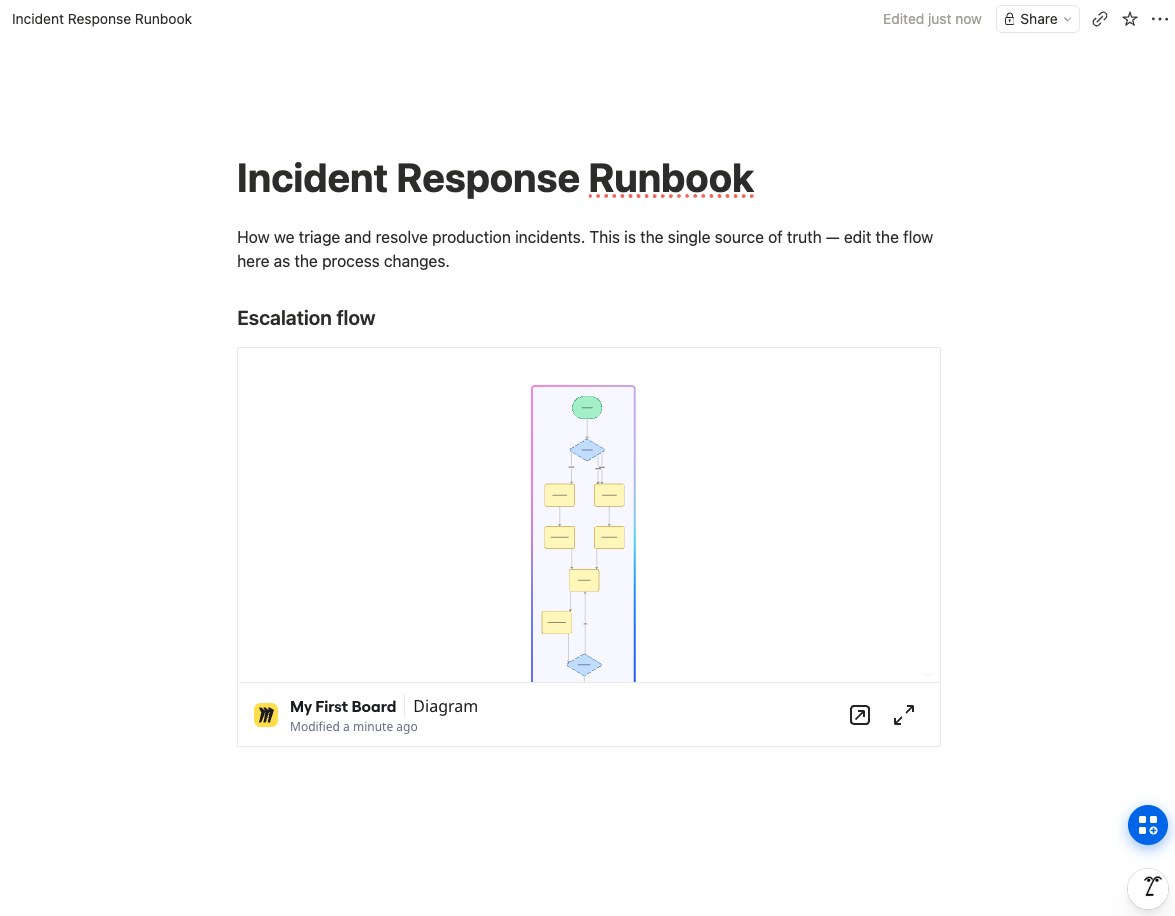
The trouble starts when the diagram is not a workshop but a piece of documentation that happens to be visual, and its home is a Notion page. Here Miro's architecture works against you. The board lives on miro.com, not in Notion. The best Notion can do is embed it: paste a share link, and Notion renders the board in an iframe. That embed is a window onto content that lives somewhere else, with all the fragility that implies. The link can rot, permissions can desync so readers hit a login wall, and the iframe is one more slow-loading external dependency on a page that should just open.
Then there is the maintenance loop. To change an embedded Miro diagram you leave Notion, open Miro, edit, and trust the embed to refresh. The diagram is never actually in your docs; it is always one hop away. And the pricing model assumes collaboration you may not need: per-seat billing means a five-person team on Business is around $80 a month whether or not anyone is co-editing, which is a lot for diagrams that one person maintains and four people read. None of this is a knock on Miro as a whiteboard. It is a mismatch between a collaborative-canvas tool and a single-source-of-truth documentation need.
How Flowblock approaches it
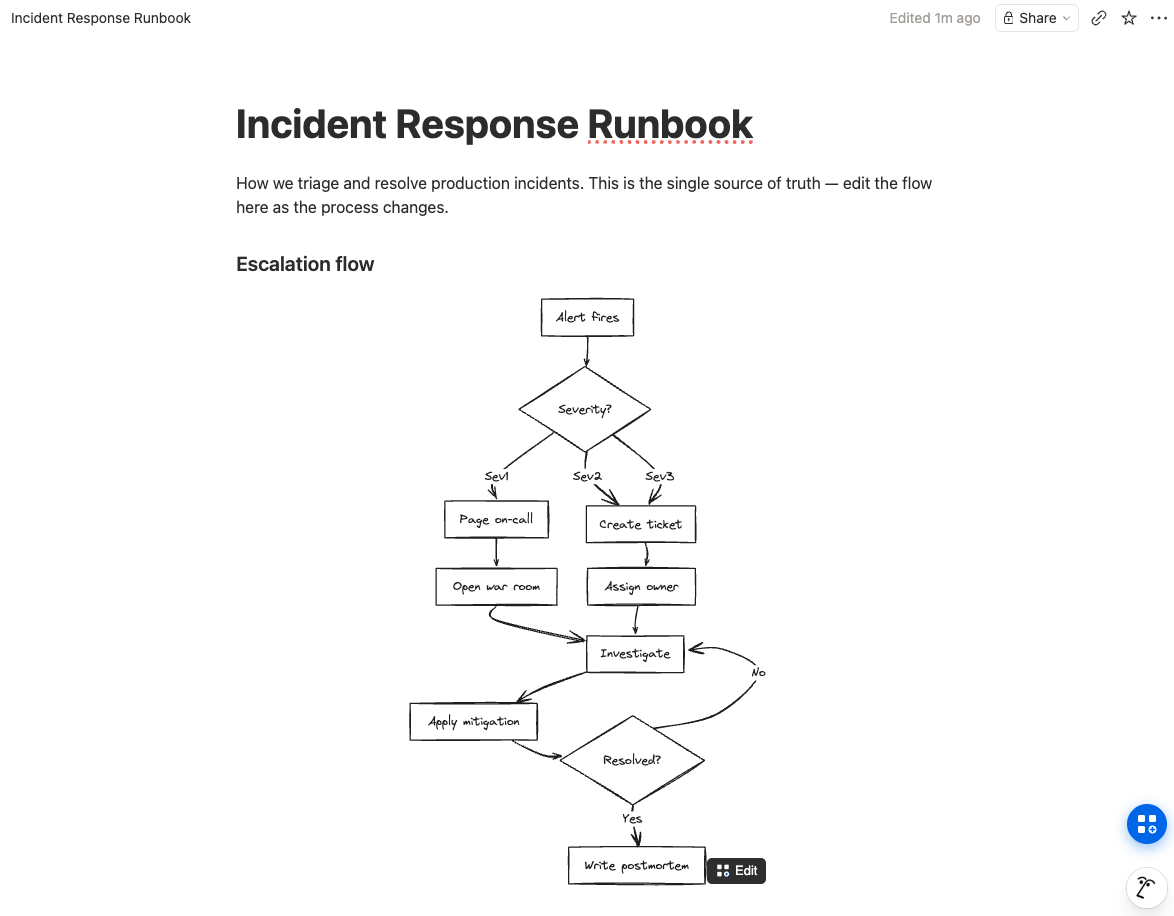
Flowblock is a Chrome extension that adds a drawing button to every Notion page. Click it and a full Excalidraw or draw.io editor opens in a modal over the page; you draw, hit Save to Notion, and the diagram lands in the page as a native image block. The editable scene is preserved inside that image, so clicking Edit later reopens exactly what you drew, every box and arrow live. There is no separate board, no external URL, no embed to keep alive. The diagram is Notion content, stored in your workspace, that happens to be editable. In our own testing this is the difference that changes behaviour: because editing is one click from the page, diagrams actually get kept current instead of quietly going stale.
It also picks up Notion's own Mermaid blocks, including the ones Notion AI generates: one click on the Import button converts that code into an editable Excalidraw or draw.io canvas, so you can fix the layout by hand instead of wrestling with syntax. If you want diagrams to stay current as systems change rather than be redrawn from scratch each time, that maintenance loop is the whole point. Try Flowblock free on a page you already maintain and the in-Notion editing model explains itself faster than any paragraph can.
 Try free
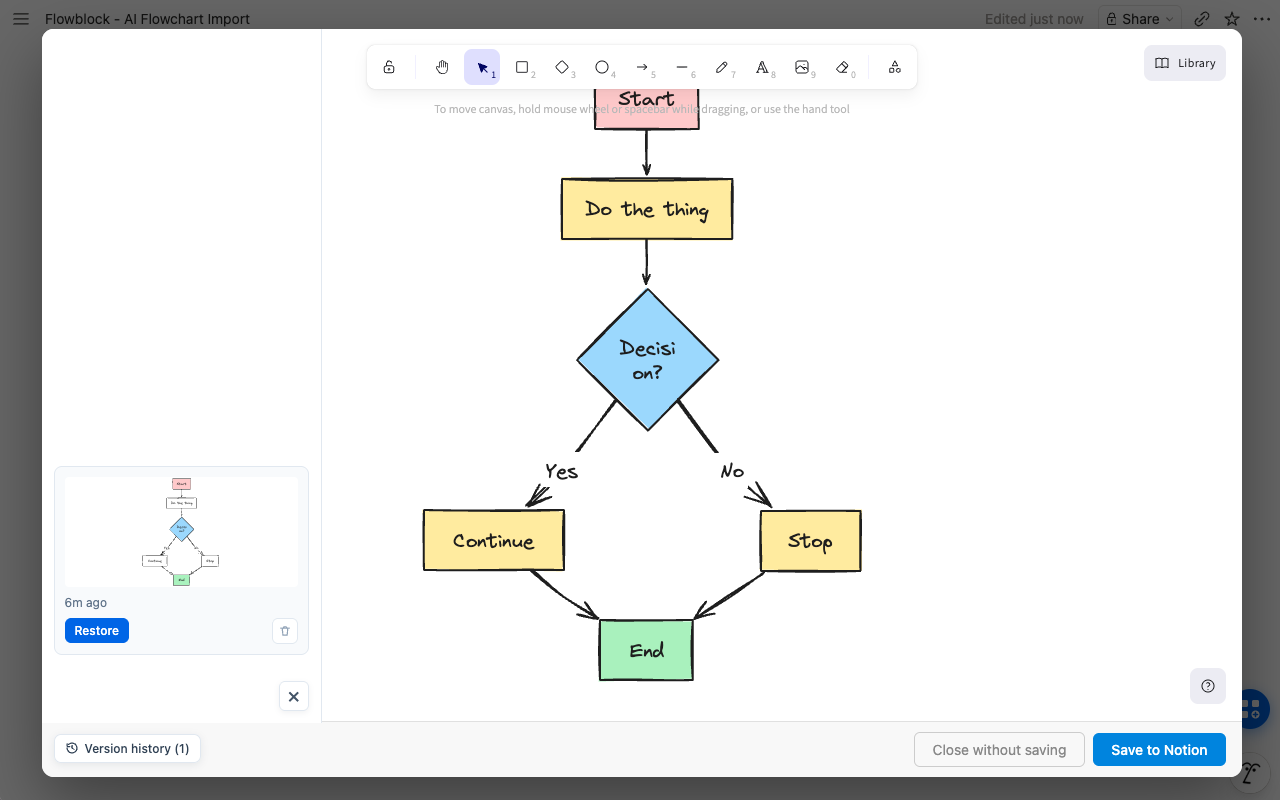
The maintenance angle is not just the save flow; it is also that you can step back through versions. Flowblock keeps a version history for each diagram, so an edit that goes wrong is one Restore click from the previous state, without leaving the page.
Side-by-side comparison
| Axis | Miro | Flowblock |
|---|---|---|
| Where the diagram lives | ❌ On miro.com, embedded into Notion as an iframe | ✅ Inside Notion as a native image block |
| Real-time collaboration | ✅ Live multiplayer, cursors, comments | ❌ Single-author, no co-editing |
| Infinite canvas / workshops | ✅ Built for it (sticky notes, voting, timers) | ❌ Page-sized diagrams, not workshops |
| Edit in place from the Notion page | ❌ Leave Notion, edit in Miro, refresh embed | ✅ Hover, click Edit, reopen the canvas |
| Mobile editing | ✅ Polished iOS and Android apps | ❌ Chrome on desktop only (diagrams still display everywhere) |
| Diagram types | ✅ Huge template and shape library | ✅ Excalidraw sketches + draw.io (UML, BPMN, ERD, architecture) |
| Notion AI Mermaid import | ❌ No | ✅ One-click convert to an editable canvas |
| Version history | ✅ Yes (paid plans) | ✅ Yes, per diagram |
| Free tier | ⚠️ Unlimited members, 3 editable boards | ⚠️ 5 new diagrams per month, editing is unlimited |
| Price for a 5-person team | ❌ ~$40/mo Starter or ~$80/mo Business (per seat) | ✅ Free under the cap, else ~$18.75/mo total |
The table sorts cleanly once you read it by job. Miro wins every row that is about people working together live: collaboration, infinite-canvas workshops, mobile, template breadth. Flowblock wins every row that is about a diagram living in, and being maintained from, the Notion page: where it lives, edit-in-place, Mermaid import, and cost when only one person maintains it. Neither column is "better"; they answer different questions. The same split shows up across the whole category, which the Notion diagram guide maps in full.
Moving a Miro board into Notion
Be warned up front: there is no clean importer. Miro does not export to a format Flowblock can read back as editable objects, so anyone promising a one-click Miro-to-Notion conversion is overselling. What you actually have are two honest routes, and which one fits depends on whether the diagram needs to stay editable.
If the board is finished and you just want it visible in Notion, export it from Miro as a PNG or PDF and upload that to a Notion image block. It is a static picture from then on: clean, fast-loading, but not editable, and updating it means going back to Miro. If the diagram is something you will keep changing, the better route is to redraw the part that matters on Flowblock's canvas. It is more effort once, but the result is a native Notion diagram you reopen and edit in place forever, with no return trip to Miro. In practice most teams do not migrate whole boards; they migrate the handful of diagrams that became documentation and leave the genuine workshops where they belong, in Miro.
When to stay on Miro
- Live workshops are the work. Retros, brainstorms, sticky-note exercises, design sprints. If the canvas is the meeting and several people are on it at once, Miro is the right tool and Flowblock is not a substitute.
- You need an infinite canvas. Sprawling system maps and clustered exercises that would never fit a page-sized diagram want Miro's endless surface.
- Mobile editing matters. Miro's iOS and Android apps let people edit from anywhere; Flowblock's editing is desktop Chrome only.
- Real-time co-editing is non-negotiable. If two people must change the same diagram at the same time, that is Miro's home turf.
When Flowblock fits better
- The diagram's home is a Notion page. If it documents a system that lives in Notion, keeping the diagram as native Notion content beats embedding a board from elsewhere.
- One person maintains it, many people read it. The async documentation case, where per-seat collaboration pricing is paying for something you do not use.
- You have Notion AI Mermaid blocks to clean up. Flowblock's Import turns generated Mermaid into an editable canvas in one click, which no whiteboard tool does.
- You want upkeep to be frictionless. Hover, Edit, change, save, all without leaving the page, so diagrams stay current instead of drifting. If your wider need is keeping a whole library of diagrams fresh, see the Notion diagram guide, and for the Whimsical comparison see the Whimsical alternative for Notion.
FAQ
Does Miro have a native Notion integration?
Not in the way most people mean. Notion can embed a Miro board through its embed block: you paste a Miro share link and Notion renders the board in an iframe. The board still lives on miro.com, editing still happens in Miro, and the content is not part of your Notion page. So there is an integration, but it is an embed, not native Notion content. Flowblock, by contrast, saves the diagram as a real Notion image block that lives in your workspace.
Is Flowblock free? How does its free tier compare to Miro's?
Flowblock is free for 5 diagrams per month, then $3.75 per month for unlimited. Miro's free plan lets you invite unlimited members but keeps only 3 boards editable at once. The two free tiers gate different things: Miro limits how many boards stay live, Flowblock limits how many new diagrams you create per month. For a Notion user who makes a handful of diagrams and edits them over time, Flowblock's free tier rarely runs out, because editing an existing diagram does not count against the monthly five.
Can I migrate existing Miro boards into Notion with Flowblock?
There is no one-click importer that turns a Miro board into an editable Flowblock diagram, and we would rather say that plainly than pretend otherwise. Miro does not export to a format Flowblock reads back as editable objects. Two honest paths exist: export the Miro board as an image or PDF and drop it into Notion as a static picture, or redraw the parts that matter on Flowblock's canvas. The redraw is more work once, but from then on the diagram is editable inside Notion forever.
Does Flowblock support real-time collaboration like Miro?
No. Flowblock is single-author by design: one person opens the canvas, draws, and saves. There is no multiplayer cursor, no live co-editing, no comments on the canvas. This is a real difference from Miro, which is built around many people on one board at once. If simultaneous editing is the requirement, Miro wins that row outright. Flowblock fits the async case: one person owns the diagram, edits it when the system changes, and everyone reads it in the Notion page.
I use Miro for team whiteboarding sessions. Should I switch?
Probably not, and you may not have to choose. Miro is genuinely good at live whiteboarding: sticky-note workshops, retros, big infinite-canvas brainstorms with a room full of cursors. Flowblock does none of that. Where Flowblock fits is the after: when the messy workshop output needs to become a clean, maintained diagram that lives in your Notion docs. Many teams run the workshop in Miro and keep the durable, documentation-grade version in Notion via Flowblock.
Looking for setup, editor, or billing details? See the detailed FAQ →
Want your diagrams to live inside Notion, not on a board somewhere else?
Flowblock opens an Excalidraw or draw.io canvas on the Notion page, saves your diagram as a native image block, and reopens it for editing whenever the system changes.
Try Flowblock - free